IBM — Microclimate
An IBM developer tool for writing microservices.
Role
- UX Design
- Page Copy
- Information Architecture
IBM Microclimate
Empowering Developers to Modernize Applications.
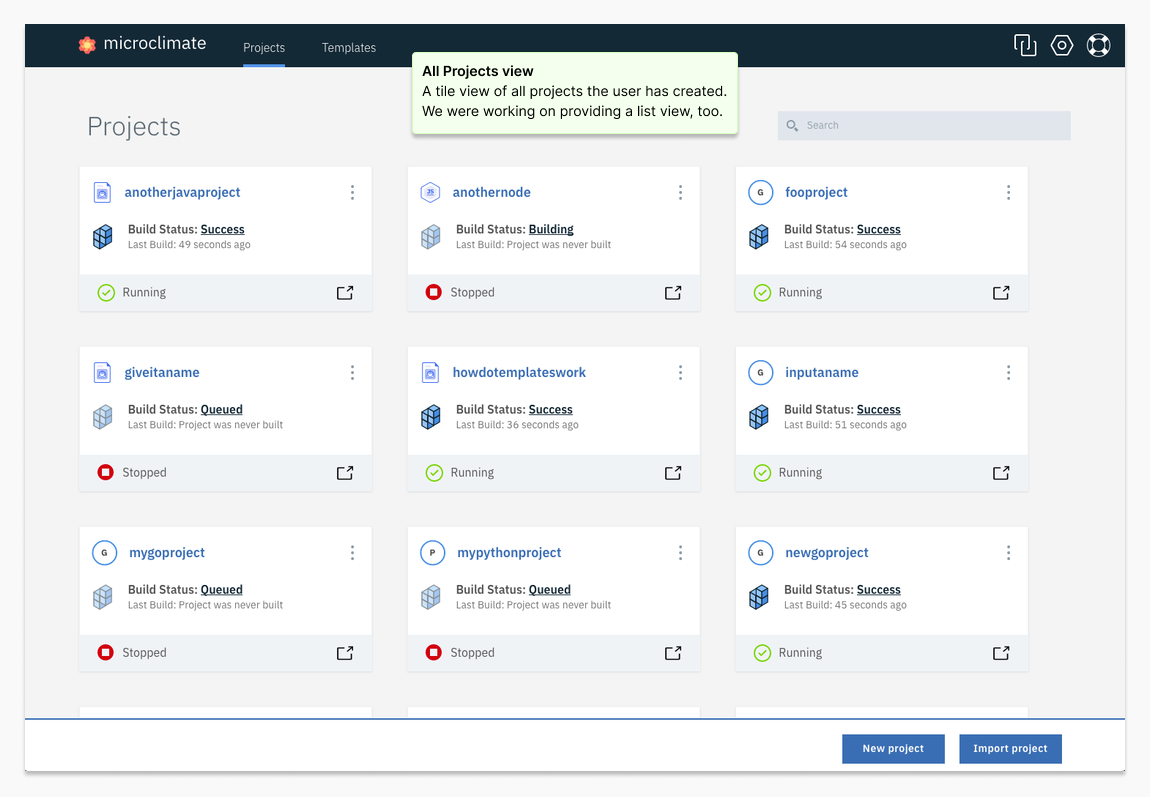
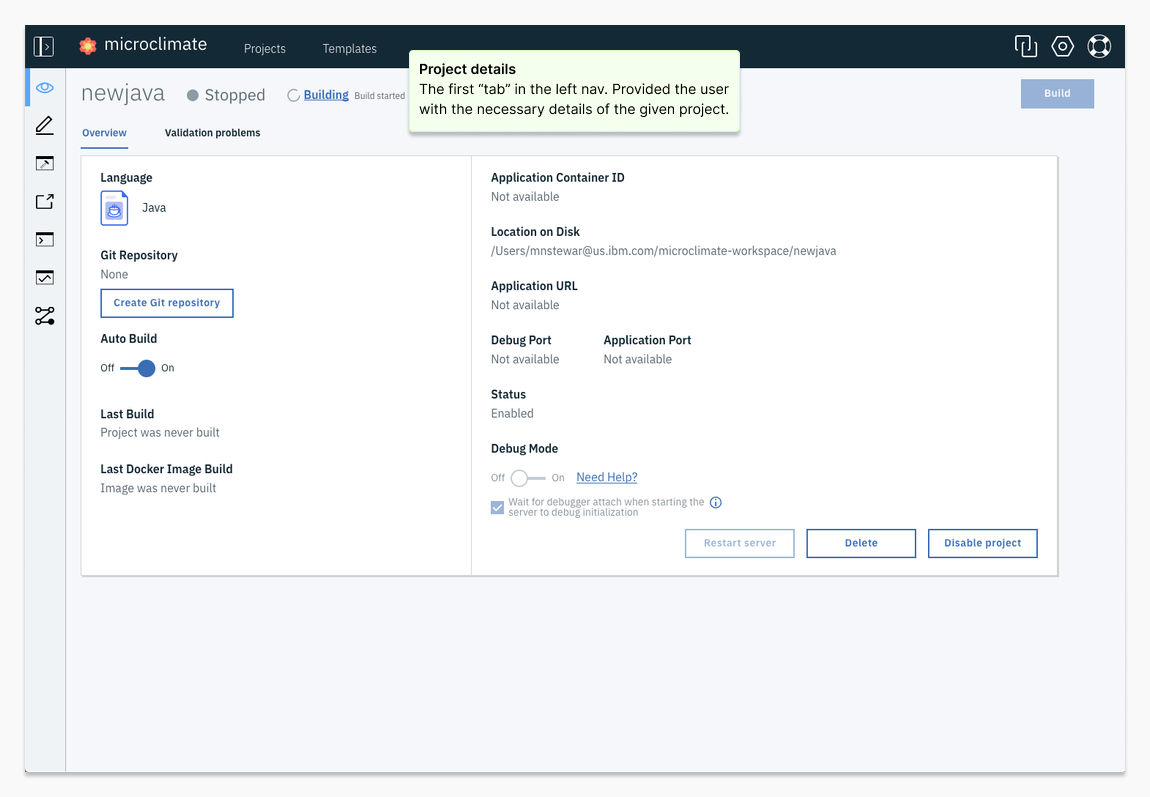
Microclimate was a tool that helped developers modernize monolithic apps by building and deploying microservices to Kubernetes. I led UX design, turning research into task flows and prototypes, then validating designs with users and engineering partners to keep the product grounded in real workflows.
My Role as UX Designer
As the UX Designer for Microclimate, I led the user-centered design process, ensuring the product met the needs of developers like Jane. My responsibilities included:
- Research and Discovery: Conducting user interviews and contextual inquiries to deeply understand user workflows and pain points.
- Defining User Goals: Writing user stories and creating user task flows to clarify objectives and map the journey through the application.
- Design Development: Translating research insights into sketches, wireframes, and prototypes, which were regularly validated with development colleagues.
- User Validation: Collaborating with a dedicated user researcher to test prototypes with actual users and incorporate feedback into iterative design improvements.
The Design Process
Our journey began with a design thinking workshop, where we unpacked the problem space as a team. This collaborative effort involved creating key artifacts such as:
- Stakeholder Maps and Empathy Maps: To identify and understand the needs, frustrations, and goals of our target users.
- Needs Statements and Product Hills: To articulate user requirements and align the team on measurable product outcomes.

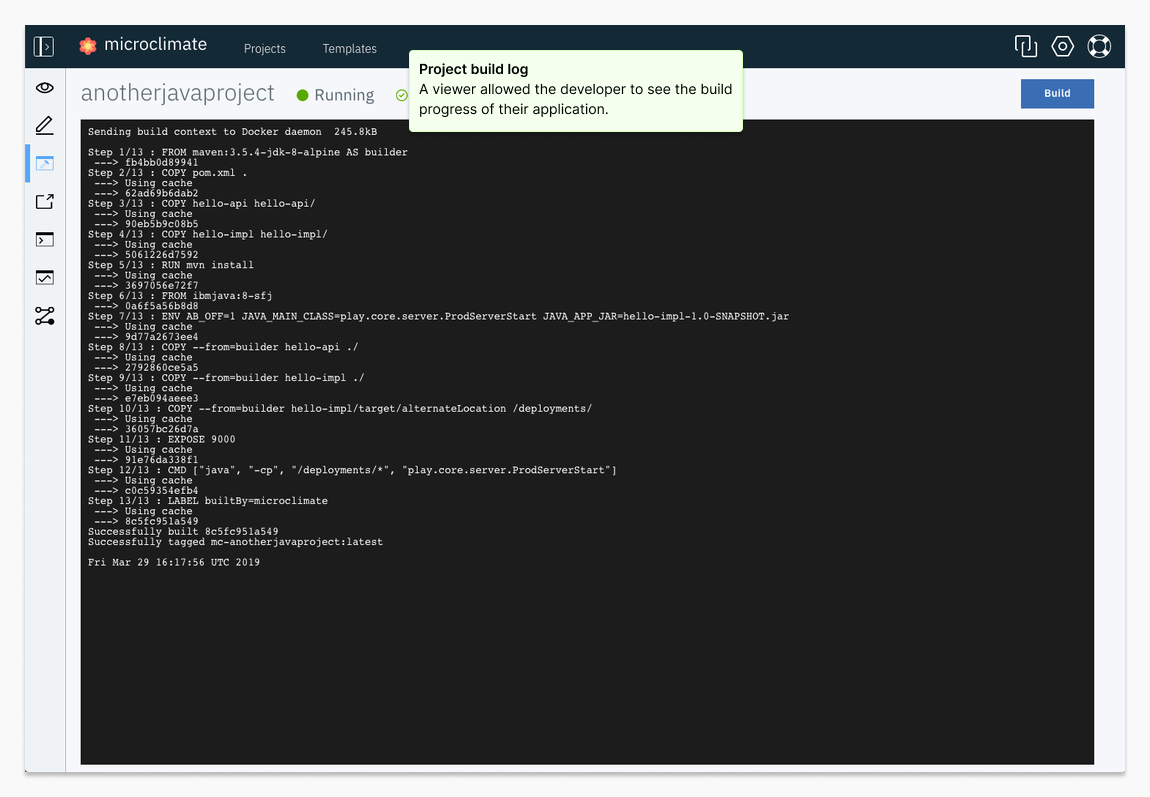
“Working with microservices, and especially the step of deploying to Kubernetes, can be a pain.”
— Interview subject

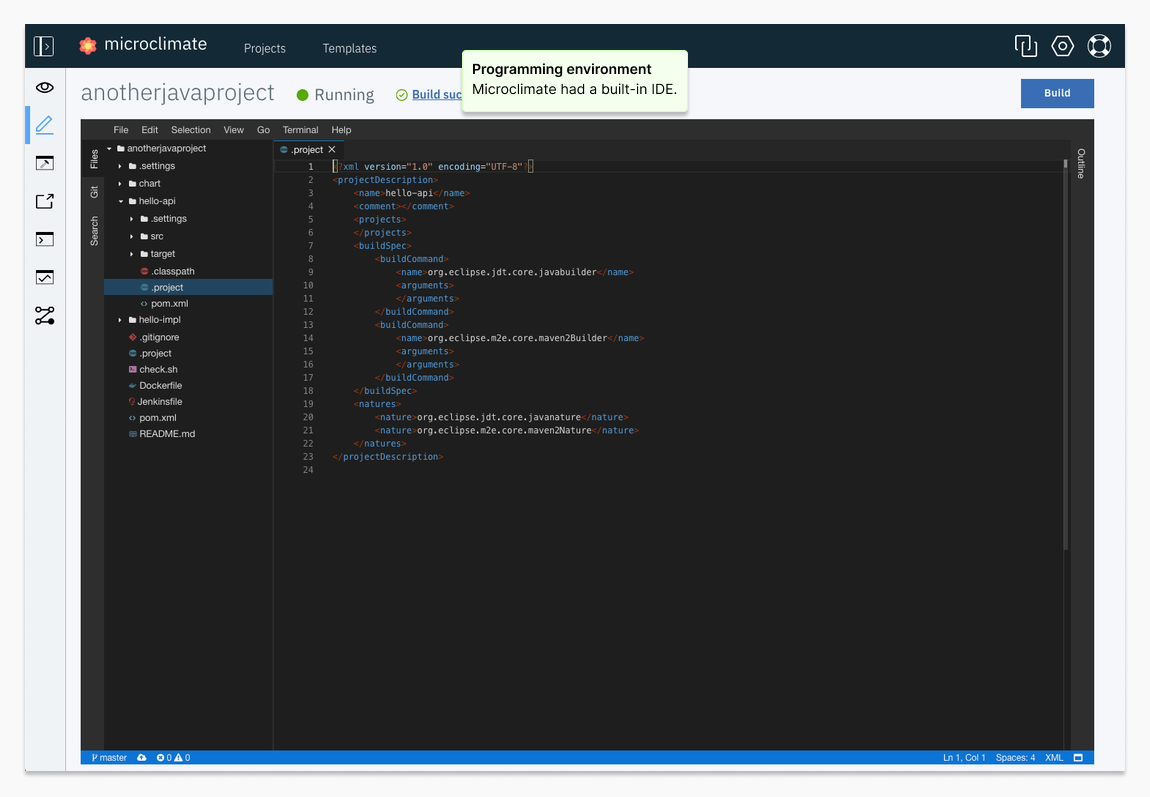
“I love the built-in IDE!”
— Interview subject

This is a simple as-is flow diagram done for adding a new programming language to the application. What I like about these, is how the diagram can clearly expose where we have gaps in understanding.
“Just make it easy for me to find my project and deploy it.”
— Interview subject
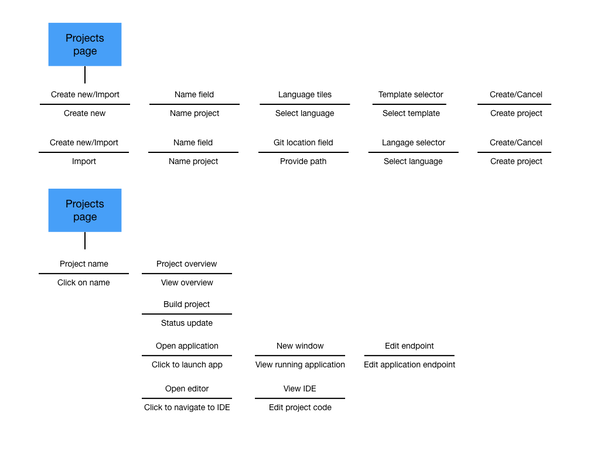
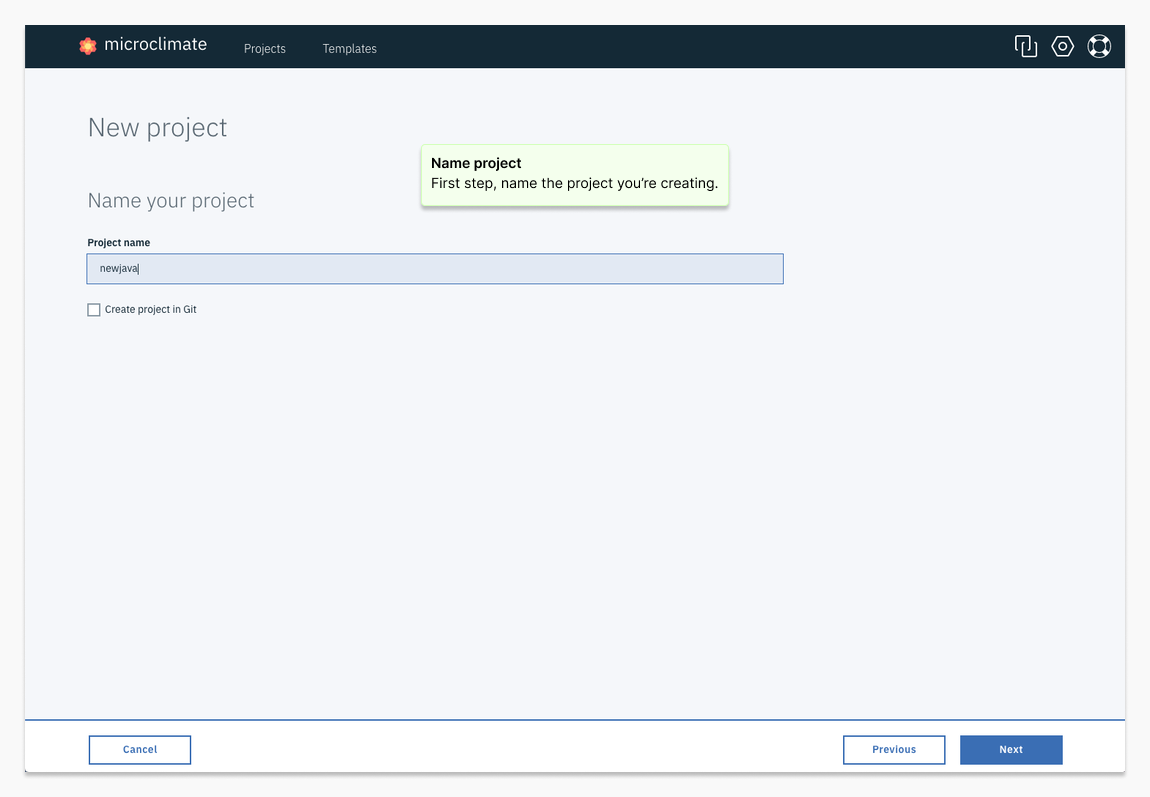
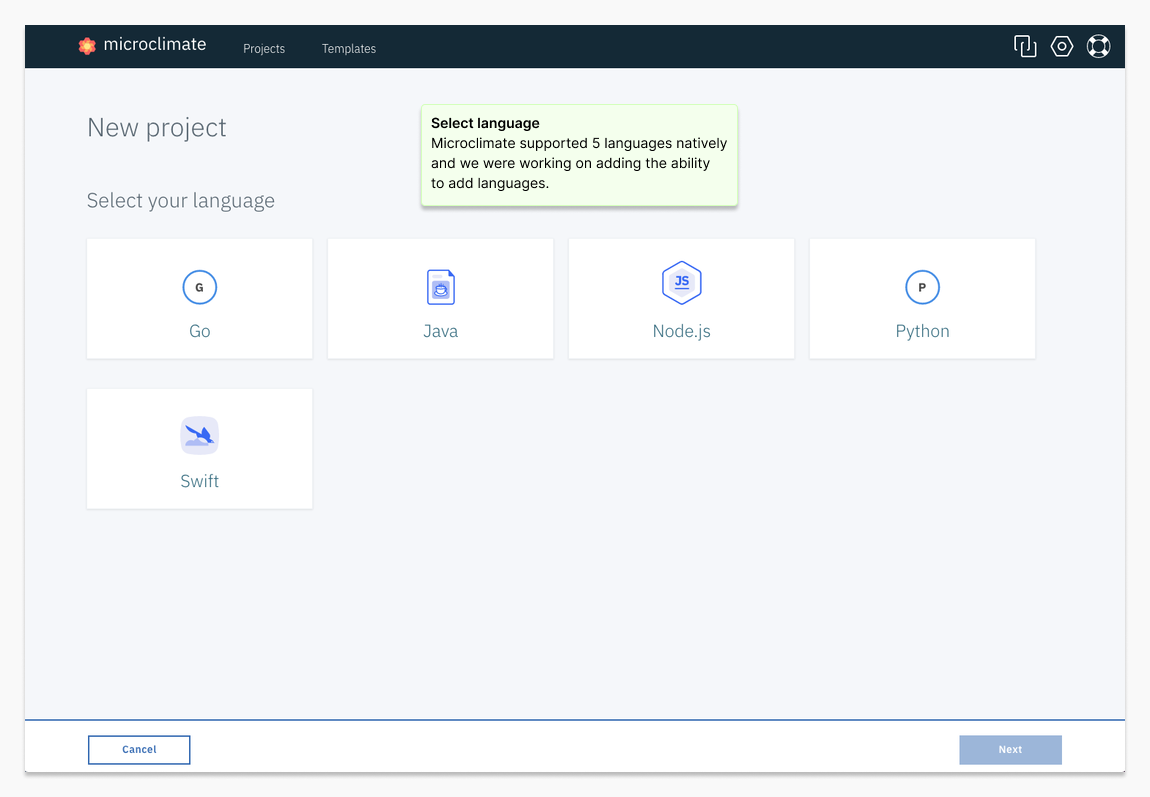
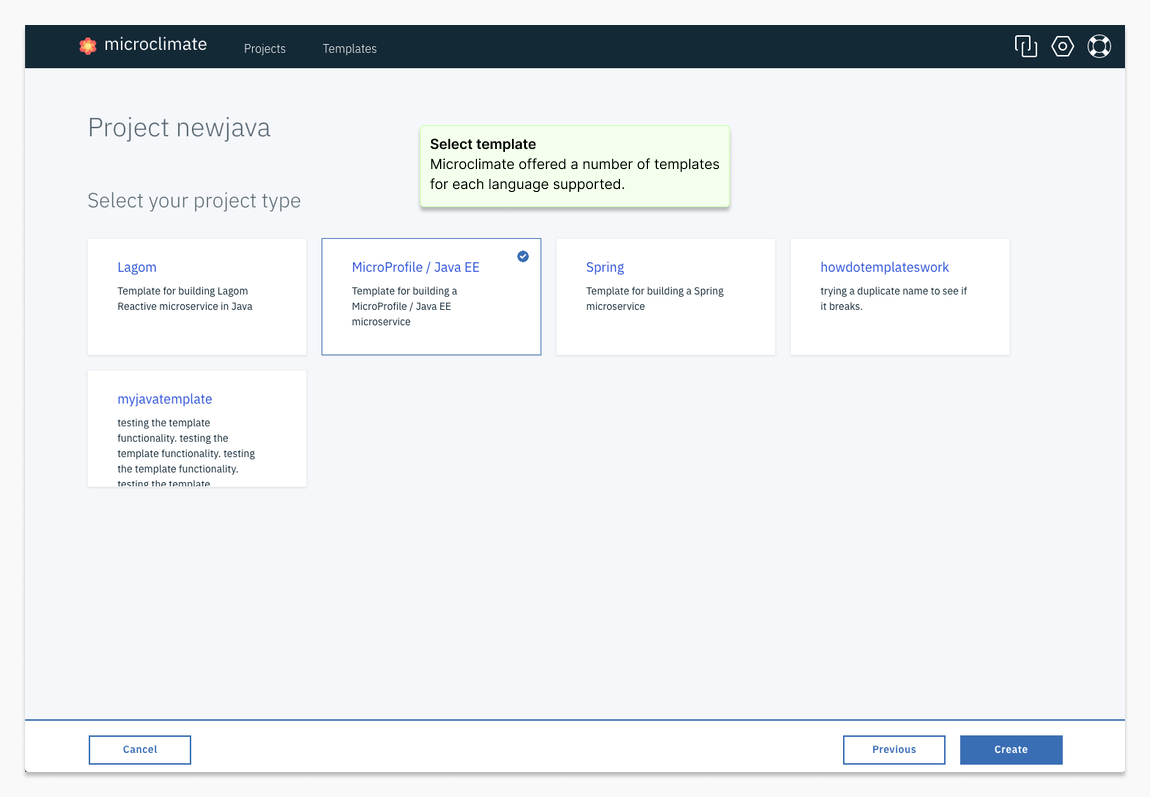
This is a to-be flow diagram for adding a new programming language to the application. I used this style of diagram as it was easier for the developer to understand.
“You mean I can add whatever language I want to the environment? Cool.”
— Interview subject
Get in touch
I'd love the opportunity to discuss how my skills and experience can align with and support your organization's goals.